Just Add, inside the tools you already use.
The short answer
Can I connect Just Add to ChatGPT or Claude?
Yes. Just Add runs an MCP server at api.justadd.app/mcp — the open standard assistants use to reach real tools. Add it wherever your assistant lists connectors, sign in once with your Just Add account, and it can read your shopping list, add to it, tick things off and see what you have cooked.
What this actually gets you
Your list stops being something that only exists in one app on one phone.
Most food apps are a room you have to walk into. You are mid-way through something else — planning a week, writing a message, standing in an aisle with one hand free — and the useful thing is behind an icon, two taps and a wait.
MCP is how that stops being true. It is an open standard for giving an assistant real tools rather than guesses, so the work you have already done here — the list that knows which dinner wanted the feta, the meals you have actually cooked — can be reached from whatever you happen to be talking to.
We implement it once. Every assistant that speaks it gets Just Add for free, including the one you write yourself.
You: I’m at the shop — what am I here for? Just Add shopping list: Spinach — greengrocer, Feta — dairy, Bin bags — household. Assistant: Spinach and feta — both for the pesto pasta you saved. Plus bin bags. You: Add oat milk, and tick off the feta. Just Add add to shopping list: Added to your list, Feta ticked off. Assistant: Done. Two left: spinach and the bin bags.
How to connect it
- 1
Copy the endpoint
One URL, the same for everybody. There is nothing to generate and nothing per-user in it — who you are arrives with the sign-in, not in the address.
https://api.justadd.app/mcp - 2
Add it wherever your assistant lists connectors
Claude calls them connectors, other clients call them MCP servers, and a few keep the setting behind a developer toggle. Paste the URL as a custom or remote server; there is no key field to fill in.
- 3
Sign in once
A normal sign-in page opens, you approve the connection, and that is the last time you think about it. Disconnect whenever you like from the same screen.
- 4
Ask it something
“What’s on my shopping list?” “Add oat milk.” “What did I cook last week?” The assistant works out which tool it needs; you never type a tool name.
What an assistant can do with it
Grouped by what it is for rather than by function name, because the list is small today and growing.
Read what you still need
The list as it stands, grouped in the order you would walk a shop, with the dinner each line belongs to. Enough for an assistant to answer “what am I here for” without you opening anything.
shopping_listChange it while your hands are full
Put anything on the list — food, foil, a birthday card — and tick things off as they go in the basket. Adding something already there un-ticks it rather than failing.
add_to_shopping_listtick_off_shopping_itemKnow what you’ve already cooked
Recent meals, what you asked for to get them, and what was in them. This is the piece that makes an assistant’s suggestions sound like they know you rather than like a search result.
recent_mealsAnd more as we build it
The surface is deliberately small at the start and will grow — your kitchen, your tables, the plates you have saved. Anything that is a straightforward read or write of your own data is a candidate.
The one thing it deliberately cannot do
No tool generates a meal. Every one of them is a read or a write of data you already have.
That is the most important line on this page. Making a plate is the single path in this product that runs a model and hands the result to a person, and it is fenced by two things: a check for distress that has to finish before any food is generated, and a scan of every finished answer for your allergens, for diet-culture language, for health claims and for anything that quantifies what you ate.
An assistant in the middle of that path decides what to ask for and renders what comes back. That is a design problem worth solving properly rather than a fifth row in a table — so until it is solved, it is not there, and an automated test refuses to register any tool whose name so much as suggests generating, suggesting or planning a meal.
How it’s kept yours
OAuth, not an API key
You are sent to a normal sign-in page, you approve it once, and your assistant gets a token it can use until you revoke it. There is no secret to copy out of a settings screen and no long-lived key sitting in somebody’s config file.
No tool takes an account id
Not one of them has a parameter for whose data to touch — a test walks every tool’s inputs to keep it that way. Identity comes from the verified token, so nothing an assistant is told in a conversation can point it at another person’s list.
Split by consequence
Reading your list, changing it and seeing your meals are separate permissions, so a connector that only needs to read can ask for only that. Every request is verified on its own; a token that has been revoked stops working immediately.
Building something of your own?
It is a standard Streamable HTTP MCP server with OAuth 2.1 discovery, so there is nothing bespoke to learn. Point any MCP client, SDK or inspector at the endpoint; an unauthorised request answers with where to go and your client takes it from there.
We are a resource server, not an identity provider. We never see a password and never mint a token — sign-in happens with our authorisation server and we verify what arrives on every single request.
https://api.justadd.app/mcpQuestions about the MCP server
What it is, how to connect it, and what it will not do.
Yes. Just Add runs an MCP server at https://api.justadd.app/mcp. Any client that speaks the Model Context Protocol can use it — Claude's connectors, ChatGPT's connector support, MCP-capable editors like Cursor, and anything you build yourself with an MCP SDK. You add the URL wherever that client lists connectors or MCP servers, then sign in with your Just Add account.
The Model Context Protocol is an open standard for letting an AI assistant use real tools and real data instead of guessing. An app implements it once, and every assistant that speaks it can work with that app — which is why it is worth us building rather than a plugin per product. It handles the transport, the tool descriptions and the authorisation; what a given server actually does is up to that server.
Neither. You need a Just Add account and a client that supports MCP connectors — in some assistants that setting sits behind a developer or beta toggle, which is a switch in their settings rather than anything you apply for. Authorisation is standard OAuth: you sign in, you approve, and you can disconnect it later from the same place.
No, and that is deliberate rather than unfinished. Generating a plate is the one path that runs a model and hands the result to a person, and it sits behind two checks — a screen for distress that must finish first, and a scan of every finished answer for your allergens and for language we do not allow. Putting a third-party assistant in the middle of that needs its own design, so for now the tools are reads and writes of your own data and a test refuses to register any tool whose name suggests otherwise.
Your shopping list, and the meals you have made with the app. Nothing about your body, because we never ask. No photographs, because dinner photos are never stored in the first place. And nothing belonging to anyone else — a table's shared list is not reachable through these tools at all, only your own.
Yes. The set starts small on purpose: every tool is a surface an assistant under someone else's influence can reach, so each one is added deliberately rather than because it was easy. Anything that is a plain read or write of your own data is a fair candidate — your kitchen, your saved plates, your tables.
That is the point of using a standard. It is a Streamable HTTP MCP server with OAuth 2.1 discovery, so any MCP SDK, the MCP Inspector, or your own agent framework can talk to it without anything bespoke from us. Point your client at the endpoint and it will discover where to authorise on its own.
Pasta in the cupboard? That’s three dinners.
Each one is the pasta you already have, plus the one or two things that finish it. Say what’s there — the app does the rest.

What’s in the cupboard 
Rigatoni, white beans and spinach 
Penne with tuna, lemon and chilli 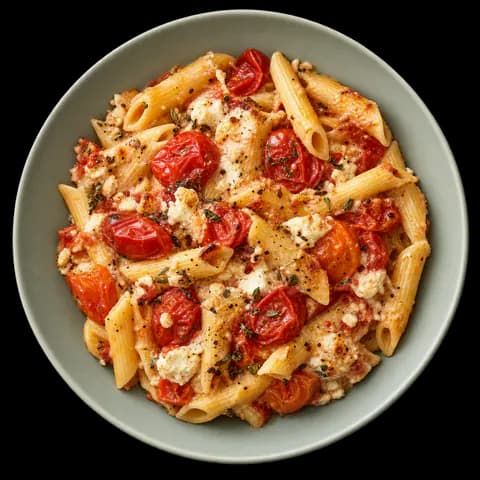
Roast tomato penne
Free every day. No card, nothing to log.

Or scan with your iPhone camera